mod
Online Mouse UI / 联机鼠标操作补丁
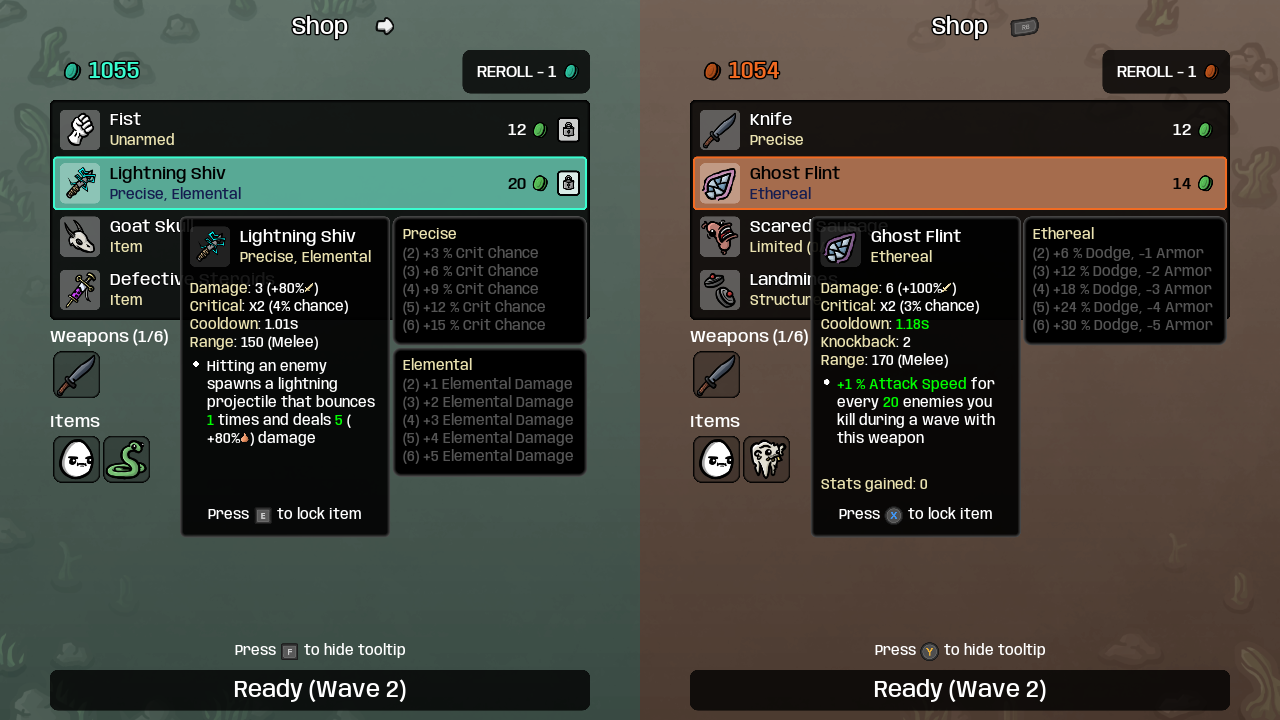
联机界面支持鼠标操作 必须安装并启用 Brotato Online。本补丁为原联机界面补充鼠标操作,沿用原来的选择、购买、奖励和同步逻辑。 1.0.1 更新 修复创建大厅后“邀请好友”无法点击。邀请按钮保留前置的原生处理,拖出按钮再松开会正常取消。 支持的界面 角色、武器、难度选择:悬停查看,左键选择。难度仍由房主选择。 升级选项与战利品箱:拿取、回收、禁用;开启按住确认时,禁用仍须按住鼠标。 商店与背包:商品、物品详情、刷新、锁定、禁用、准备按钮。 物品详情弹窗与 ESC 暂停菜单:使用原有按钮和选项。 鼠标只能操作本机拥有的玩家,不能操作远端玩家的面板。原键盘和手柄逻辑保留。准备后仅...
- Latest version
- no release indexed
- Downloads
- 730
- Rating
- 23
- Updated
- 1 mo ago
- Available on
- Steam Workshop
Download
Delivered through the Steam client, not a file this page can link to.
Frequently asked
How do I install Online Mouse UI / 联机鼠标操作补丁?
Install the matching loader first, then put the downloaded file in your mods folder and start the game. The loader, the mod and Brotato all have to be on the same version, which is the usual reason a mod does not appear in game.
Where do I download Online Mouse UI / 联机鼠标操作补丁 safely?
From the author's own page on Steam Workshop, which is where the data here is synced from. IndexGG never mirrors, re-hosts or repackages a file: every download button points at the original source, so you get exactly what the author published.
Which Brotato versions does Online Mouse UI / 联机鼠标操作补丁 work on?
The author has not declared a supported version in the metadata we sync, so there is nothing here we can state as fact. Check the project's own page before installing it, and treat an old mod with no declared version as untested on modern Brotato.