mod
Base Projection (基地投影)
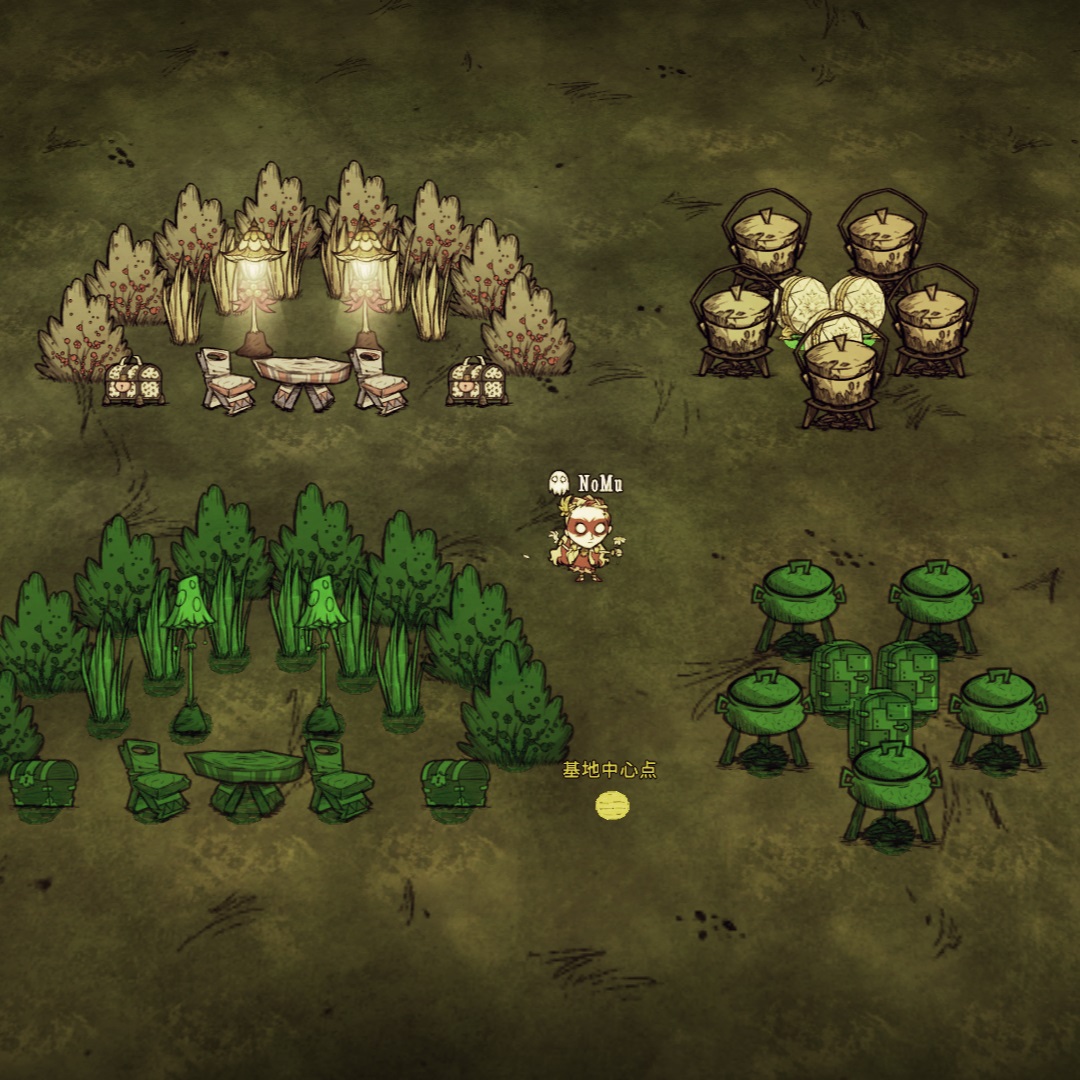
介绍视频: 基地口令可以从基地大厅获得: 基地大厅介绍视频: - 在游戏中按F1开始基地录入,录入时通过鼠标左键选定基地中心后,左键单击可以添加或删除实体,双击添加同类实体,按住拖拽添加一个区域内的实体; - 选完实体后,点击面板中的“保存”按钮即可保存数据; - 按F2开始基地投影,选定中心后,点击面板中的“打开列表”按钮,选择要投影的数据即可; - 摆放时鼠标会自动吸附到投影点上,可以轻松的复原基地。 本模组的更新日志请查看改动说明 You can change the languages and shortcuts in the mod configuration page. -...
- Latest version
- no release indexed
- Downloads
- 367.9k
- Rating
- 10.5k
- Filed under
- client_only_mod
- Updated
- 3 mo ago
- Available on
- Steam Workshop
Download
Delivered through the Steam client, not a file this page can link to.
Frequently asked
How do I install Base Projection (基地投影)?
Install the matching loader first, then put the downloaded file in your mods folder and start the game. The loader, the mod and Don't Starve Together all have to be on the same version, which is the usual reason a mod does not appear in game.
Where do I download Base Projection (基地投影) safely?
From the author's own page on Steam Workshop, which is where the data here is synced from. IndexGG never mirrors, re-hosts or repackages a file: every download button points at the original source, so you get exactly what the author published.
Which Don't Starve Together versions does Base Projection (基地投影) work on?
The author has not declared a supported version in the metadata we sync, so there is nothing here we can state as fact. Check the project's own page before installing it, and treat an old mod with no declared version as untested on modern Don't Starve Together.