mod
no longer out-of-date
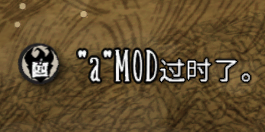
有的时候服务器模组过期了,但是我们又不是腐竹,没办法更新,却要一直被烦,就很恶心,这个模组会ban掉过期显示。 因为这个模组是客户端模组,所以不会影响其他人的显示。别人的不管,烦的是别人()。 最后,当过期的时候虽然没有聊天框显示,但此模组会把信息打印在日志里面(按CTRL+L 查看),打印日志的代码是: print(mod, "这个模组过期了,快叫人更新罢!") mod是过期模组的名字,你可以手动在日志里面查看过期模组。
- Latest version
- no release indexed
- Downloads
- 1.2k
- Rating
- 58
- Updated
- 2 y ago
- Available on
- Steam Workshop
Download
Delivered through the Steam client, not a file this page can link to.
Frequently asked
How do I install no longer out-of-date?
Install the matching loader first, then put the downloaded file in your mods folder and start the game. The loader, the mod and Don't Starve Together all have to be on the same version, which is the usual reason a mod does not appear in game.
Where do I download no longer out-of-date safely?
From the author's own page on Steam Workshop, which is where the data here is synced from. IndexGG never mirrors, re-hosts or repackages a file: every download button points at the original source, so you get exactly what the author published.
Which Don't Starve Together versions does no longer out-of-date work on?
The author has not declared a supported version in the metadata we sync, so there is nothing here we can state as fact. Check the project's own page before installing it, and treat an old mod with no declared version as untested on modern Don't Starve Together.