mod
PCC Extension
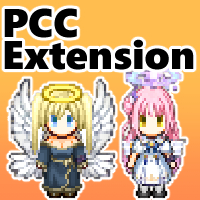
次の機能により、PCCの表現力を向上します。 サイズが異なるテクスチャパーツの混用 表示倍率変更 明るさによる白みの抑制(主に直射日光) 別途、 Mod Config GUI を使用することで、ゲーム内のModビューアー内の設定ボタンから設定が可能です。 MixedSizeTextures デフォルト設定:AlignBottomCenter Disable:テクスチャを拡縮してサイズを揃えます。Elin標準の挙動です。 AlignBottomCenter:サイズが異なるテクスチャの下端、左右中央の位置を揃えて重ね合わせます。 WidthRate , HeightRate デフォルト設定:...
- Latest version
- no release indexed
- Downloads
- 1.3k
- Rating
- 124
- Filed under
- QoL, General
- Updated
- 10 mo ago
- Available on
- Steam Workshop
Download
Delivered through the Steam client, not a file this page can link to.
Frequently asked
How do I install PCC Extension?
Install the matching loader first, then put the downloaded file in your mods folder and start the game. The loader, the mod and Elin all have to be on the same version, which is the usual reason a mod does not appear in game.
Where do I download PCC Extension safely?
From the author's own page on Steam Workshop, which is where the data here is synced from. IndexGG never mirrors, re-hosts or repackages a file: every download button points at the original source, so you get exactly what the author published.
Which Elin versions does PCC Extension work on?
The author has not declared a supported version in the metadata we sync, so there is nothing here we can state as fact. Check the project's own page before installing it, and treat an old mod with no declared version as untested on modern Elin.