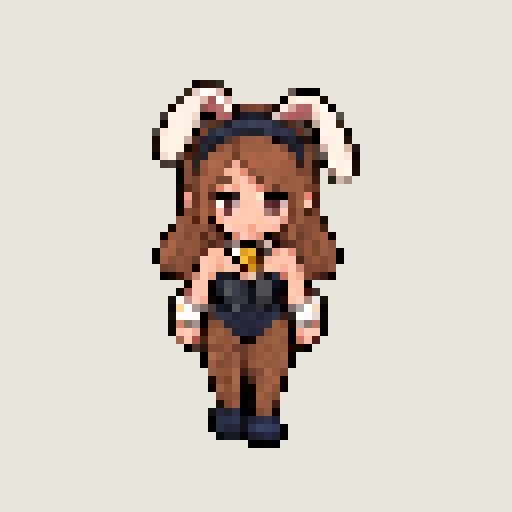
mod
Vanilla Bunny PCC - Chestnut
ダルフィNPCメインのPCCスキンを追加。 Elinを起動し、Modビューアーで 「Vanilla NPC PCC - Costume Variations」 を有効にします。変更した場合は再起動してください。 ゲーム内で Vキー → 肖像をクリック → 外見編集 を開きます。 「全て脱がす」 で既存の髪・服などを外し、「体」 から好みのスキンを選びます。衣装と髪を含む一体型のため、これだけで使用できます。 ※画像の4枚は紹介用画像です。NPCの出現数や外見を自動で変更する機能はありません。 個人で拠点のNPCスキンを変えるためAIを利用して作成
- Latest version
- no release indexed
- Downloads
- 139
- Rating
- 16
- Updated
- 1 mo ago
- Available on
- Steam Workshop
Download
Delivered through the Steam client, not a file this page can link to.
Frequently asked
How do I install Vanilla Bunny PCC - Chestnut?
Install the matching loader first, then put the downloaded file in your mods folder and start the game. The loader, the mod and Elin all have to be on the same version, which is the usual reason a mod does not appear in game.
Where do I download Vanilla Bunny PCC - Chestnut safely?
From the author's own page on Steam Workshop, which is where the data here is synced from. IndexGG never mirrors, re-hosts or repackages a file: every download button points at the original source, so you get exactly what the author published.
Which Elin versions does Vanilla Bunny PCC - Chestnut work on?
The author has not declared a supported version in the metadata we sync, so there is nothing here we can state as fact. Check the project's own page before installing it, and treat an old mod with no declared version as untested on modern Elin.