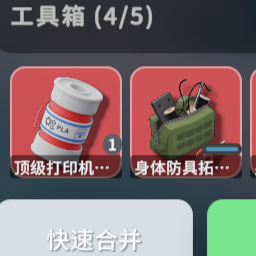
mod
箱子爆率修改
箱子爆率修改 一、使用:进入游戏后可以在设置中调整箱子的爆率(DropRateSetting) 1.进入基地打开设置 2.点击Mod Settings,下拉,可以看到DropRateSetting设置 3.true开启设置,false关闭设置 4.爆率:0.1~200,爆率越高,爆出的东西越好,建议不超过10 5.爆出个数:控制的是箱子爆出物品的多少 6.即时刷新:true开启,false关闭,开启后,当处于地图中时,每次修改爆率,没有开过的箱子都会根据爆率重新刷新 二、遇到找不到设置的情况 针对这种情况,我添加了本地配置,但是这样需要在启动游戏前设置才能生效 1.打开MOD文件夹,位置...
- Latest version
- no release indexed
- Downloads
- 3.9k
- Rating
- 129
- Filed under
- Mod
- Updated
- 9 mo ago
- Available on
- Steam Workshop
Download
Delivered through the Steam client, not a file this page can link to.
Frequently asked
How do I install 箱子爆率修改?
Install the matching loader first, then put the downloaded file in your mods folder and start the game. The loader, the mod and Escape from Duckov 逃离鸭科夫 all have to be on the same version, which is the usual reason a mod does not appear in game.
Where do I download 箱子爆率修改 safely?
From the author's own page on Steam Workshop, which is where the data here is synced from. IndexGG never mirrors, re-hosts or repackages a file: every download button points at the original source, so you get exactly what the author published.
Which Escape from Duckov 逃离鸭科夫 versions does 箱子爆率修改 work on?
The author has not declared a supported version in the metadata we sync, so there is nothing here we can state as fact. Check the project's own page before installing it, and treat an old mod with no declared version as untested on modern Escape from Duckov 逃离鸭科夫.