mod
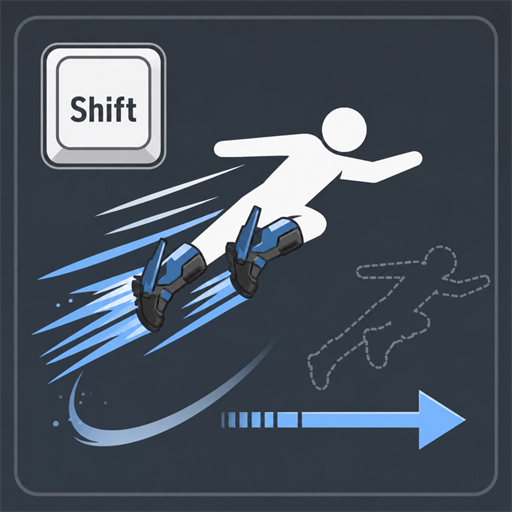
Shift Momentum Air Dodge / 慣性維持空中回避
Shift空中回避で、それまでの慣性を失わずに回避加速を加えます。 重要:有効化手順 1. このMODと必須アイテムのUE4SSをサブスクライブします。 2. Palworldを起動し、タイトル画面の「オプション」→「MOD管理」を開きます。 3. 「MODを有効化」をONにします。 4. ShiftMomentumAirDodgeとUE4SSのチェックをONにして「保存」を押します。 5. ゲームの再起動後に有効になります。 機能 通常の空中回避:バニラのまま Shift空中回避:回避直前の慣性を110%引き継ぎ、通常の回避加速を追加 元の水平慣性を、速度の大きさを保ったまま選んだ回避...
- Latest version
- no release indexed
- Downloads
- 842
- Rating
- 78
- Filed under
- Gameplay, Utilities
- Updated
- 3 mo ago
- Available on
- Steam Workshop
Download
Delivered through the Steam client, not a file this page can link to.
Frequently asked
How do I install Shift Momentum Air Dodge / 慣性維持空中回避?
Install the matching loader first, then put the downloaded file in your mods folder and start the game. The loader, the mod and Palworld all have to be on the same version, which is the usual reason a mod does not appear in game.
Where do I download Shift Momentum Air Dodge / 慣性維持空中回避 safely?
From the author's own page on Steam Workshop, which is where the data here is synced from. IndexGG never mirrors, re-hosts or repackages a file: every download button points at the original source, so you get exactly what the author published.
Which Palworld versions does Shift Momentum Air Dodge / 慣性維持空中回避 work on?
The author has not declared a supported version in the metadata we sync, so there is nothing here we can state as fact. Check the project's own page before installing it, and treat an old mod with no declared version as untested on modern Palworld.