mod
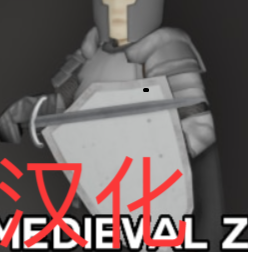
[B42.15+] Medieval Z [Beta] - 简体中文汉化
为 MedievalZ (Medieval Times) 模组提供简体中文汉化。 包含内容: - 全部中世纪武器、护甲、服饰物品名汉化 - 右键菜单汉化(面罩开合、剑鞘切换等) - 锻造配方汉化 使用方法: 1. 订阅本汉化Mod和原模组 MedievalZ。 2. 在游戏主菜单的“模组”中启用本Mod。 3. 确保游戏语言设置为“简体中文”。 注意:本Mod为纯汉化补丁不用于盈利,需要同时订阅原模组 MedievalZ 才能生效。 如果有其它想要翻译的mod请私信作者,将尽力而为 如有侵权,将立刻删除 再次感谢原作者Nik! 汉化作者: Workshop ID: 3710711246...
- Latest version
- no release indexed
- Downloads
- 3.6k
- Rating
- 43
- Updated
- 5 mo ago
- Available on
- Steam Workshop
Download
Delivered through the Steam client, not a file this page can link to.
Frequently asked
How do I install [B42.15+] Medieval Z [Beta] - 简体中文汉化?
Install the matching loader first, then put the downloaded file in your mods folder and start the game. The loader, the mod and Project Zomboid all have to be on the same version, which is the usual reason a mod does not appear in game.
Where do I download [B42.15+] Medieval Z [Beta] - 简体中文汉化 safely?
From the author's own page on Steam Workshop, which is where the data here is synced from. IndexGG never mirrors, re-hosts or repackages a file: every download button points at the original source, so you get exactly what the author published.
Which Project Zomboid versions does [B42.15+] Medieval Z [Beta] - 简体中文汉化 work on?
The author has not declared a supported version in the metadata we sync, so there is nothing here we can state as fact. Check the project's own page before installing it, and treat an old mod with no declared version as untested on modern Project Zomboid.