mod
真实电脑 [B42.20]
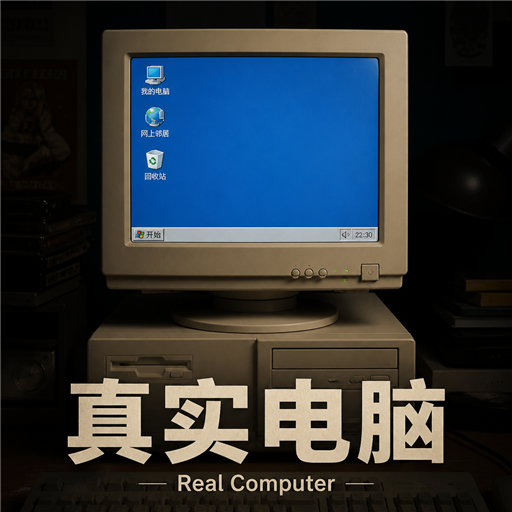
真实电脑 让末日里的原版台式电脑真正“能用起来”。靠近有电的电脑,右键开机后会播放开机动画与音乐,随后进入带 1990 年代 CRT 显示器边框的桌面(边框复古,画面保持清晰)。每个功能都以桌面软件图标呈现,单击即可打开;关机同样有动画与音乐收尾。 主要功能 聊天室 — 微信风格的会话界面,读写均对接原版聊天系统。可查看原版聊天记录,发出的消息也会同步到游戏聊天;可用频道随单机 / 多人原版规则变化。 五子棋 — 15×15 标准五子棋,玩家执黑对战电脑。获胜可减轻无聊与忧郁,失败则会加重,适合在安全屋里打发时间。 围棋 — 19×19 棋盘,采用中国规则与白贴 6.5 目,支持提子、禁...
- Latest version
- no release indexed
- Downloads
- 2.5k
- Rating
- 43
- Updated
- 20 d ago
- Available on
- Steam Workshop
Download
Delivered through the Steam client, not a file this page can link to.
Frequently asked
How do I install 真实电脑 [B42.20]?
Install the matching loader first, then put the downloaded file in your mods folder and start the game. The loader, the mod and Project Zomboid all have to be on the same version, which is the usual reason a mod does not appear in game.
Where do I download 真实电脑 [B42.20] safely?
From the author's own page on Steam Workshop, which is where the data here is synced from. IndexGG never mirrors, re-hosts or repackages a file: every download button points at the original source, so you get exactly what the author published.
Which Project Zomboid versions does 真实电脑 [B42.20] work on?
The author has not declared a supported version in the metadata we sync, so there is nothing here we can state as fact. Check the project's own page before installing it, and treat an old mod with no declared version as untested on modern Project Zomboid.