mod
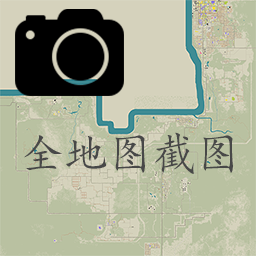
全地图分块截屏
以一种比较粗糙的方式实现了全地图分块截图,节省截图时间,后续需要手动拼合地图 食用方式:点开地图,点击左侧的 FMS 即可,截图过程中请不要操作 过程中会隐藏 ui,ui 重新显示即表示截图完成 C:\Users\{用户名}\Zomboid\Screenshots 中 map_{i}_{j}.png 是截出的各部分地图 一些额外的辅助信息输出在 C:\Users\{用户名}\Zomboid\Lua\sakura_outMapInfo.txt 中 (兼容处理了 MapLegendUI 和 errorMagnifier 的显示,因为这两个模组挡住截图了hhh) Tips: 仅在单人和联机管理...
- Latest version
- no release indexed
- Downloads
- 1.3k
- Rating
- 11
- Updated
- 3 y ago
- Available on
- Steam Workshop
Download
Delivered through the Steam client, not a file this page can link to.
Frequently asked
How do I install 全地图分块截屏?
Install the matching loader first, then put the downloaded file in your mods folder and start the game. The loader, the mod and Project Zomboid all have to be on the same version, which is the usual reason a mod does not appear in game.
Where do I download 全地图分块截屏 safely?
From the author's own page on Steam Workshop, which is where the data here is synced from. IndexGG never mirrors, re-hosts or repackages a file: every download button points at the original source, so you get exactly what the author published.
Which Project Zomboid versions does 全地图分块截屏 work on?
The author has not declared a supported version in the metadata we sync, so there is nothing here we can state as fact. Check the project's own page before installing it, and treat an old mod with no declared version as untested on modern Project Zomboid.