mod
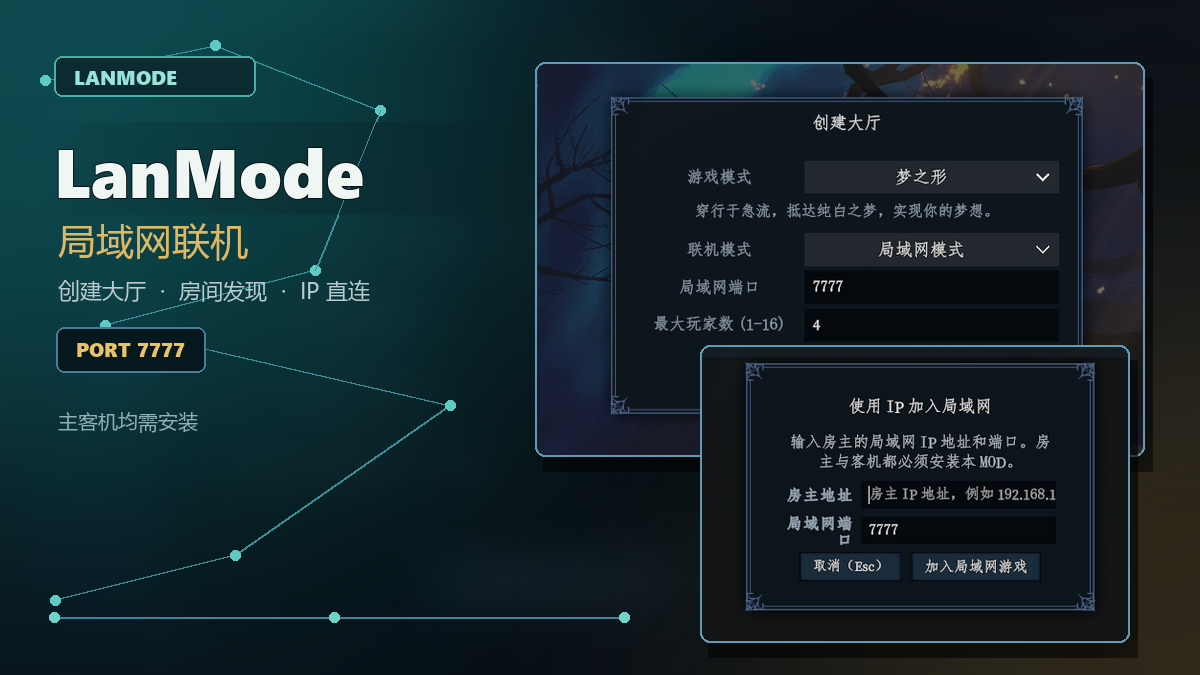
LanMode | 局域网模式
为《梦之形》增加局域网联机模式,并保留原本的官方联机模式。继续多人存档时也可选择官方联机或局域网模式。 同时使用人数 MOD 时,先完成原有的人数选择,再选择联机模式;模式确认后直接加载存档,不重复弹窗。 使用方法: 1. 房主和所有客机都安装本 MOD。 2. 进入“共同梦游 -> 创建大厅”,在“联机模式”中选择“局域网模式”。 3. 房主设置端口并创建局域网大厅,把本机局域网地址和端口告诉其他玩家。 4. 客机进入“共同梦游 -> 加入大厅”,在右上角“房间来源”中选择“局域网房间”。 5. 选择自动发现的局域网房间后直接加入;若未发现,也可点击“使用 IP 加入局域网”手动输入地...
- Latest version
- no release indexed
- Downloads
- 570
- Rating
- 18
- Updated
- 1 mo ago
- Available on
- Steam Workshop
Download
Delivered through the Steam client, not a file this page can link to.
Frequently asked
How do I install LanMode | 局域网模式?
Install the matching loader first, then put the downloaded file in your mods folder and start the game. The loader, the mod and Shape of Dreams all have to be on the same version, which is the usual reason a mod does not appear in game.
Where do I download LanMode | 局域网模式 safely?
From the author's own page on Steam Workshop, which is where the data here is synced from. IndexGG never mirrors, re-hosts or repackages a file: every download button points at the original source, so you get exactly what the author published.
Which Shape of Dreams versions does LanMode | 局域网模式 work on?
The author has not declared a supported version in the metadata we sync, so there is nothing here we can state as fact. Check the project's own page before installing it, and treat an old mod with no declared version as untested on modern Shape of Dreams.