mod
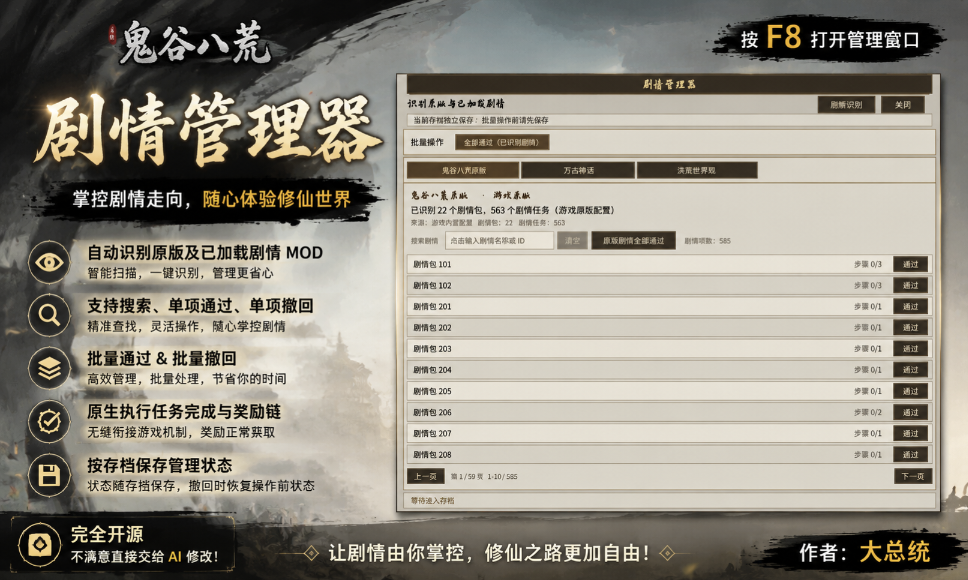
<color=red><size=20>【大总统】剧情管理器</size></color>
每次开新档,是否已经厌倦了看了数十次的剧情?懒得跑任务? 那你可以试试这个模组,因为他可以帮助你在一些事情上节省时间,比如,一键通关剧情。 功能如下: 按 F8 打开管理窗口。 自动识别原版及已加载剧情 MOD。 支持搜索、单项通过、单项撤回、批量通过和批量撤回。 原生执行任务完成与奖励链。 按存档保存管理状态,撤回时恢复操作前状态。 项目完全开源,不满意直接交给AI自行修改。 注意事项: 本模组仍处于初期阶段,强烈建议使用前备份存档!!! 首次使用和批量操作前建议备份存档。 操作完成后请手动保存游戏。 “撤回”主要恢复任务状态,不保证还原剧情已经产生的所有外部影响。 游戏mod反馈交流...
- Latest version
- no release indexed
- Downloads
- 4.7k
- Rating
- 75
- Updated
- 1 mo ago
- Available on
- Steam Workshop
Download
Delivered through the Steam client, not a file this page can link to.
Frequently asked
How do I install <color=red><size=20>【大总统】剧情管理器</size></color>?
Install the matching loader first, then put the downloaded file in your mods folder and start the game. The loader, the mod and 鬼谷八荒 Tale of Immortal all have to be on the same version, which is the usual reason a mod does not appear in game.
Where do I download <color=red><size=20>【大总统】剧情管理器</size></color> safely?
From the author's own page on Steam Workshop, which is where the data here is synced from. IndexGG never mirrors, re-hosts or repackages a file: every download button points at the original source, so you get exactly what the author published.
Which 鬼谷八荒 Tale of Immortal versions does <color=red><size=20>【大总统】剧情管理器</size></color> work on?
The author has not declared a supported version in the metadata we sync, so there is nothing here we can state as fact. Check the project's own page before installing it, and treat an old mod with no declared version as untested on modern 鬼谷八荒 Tale of Immortal.