mod
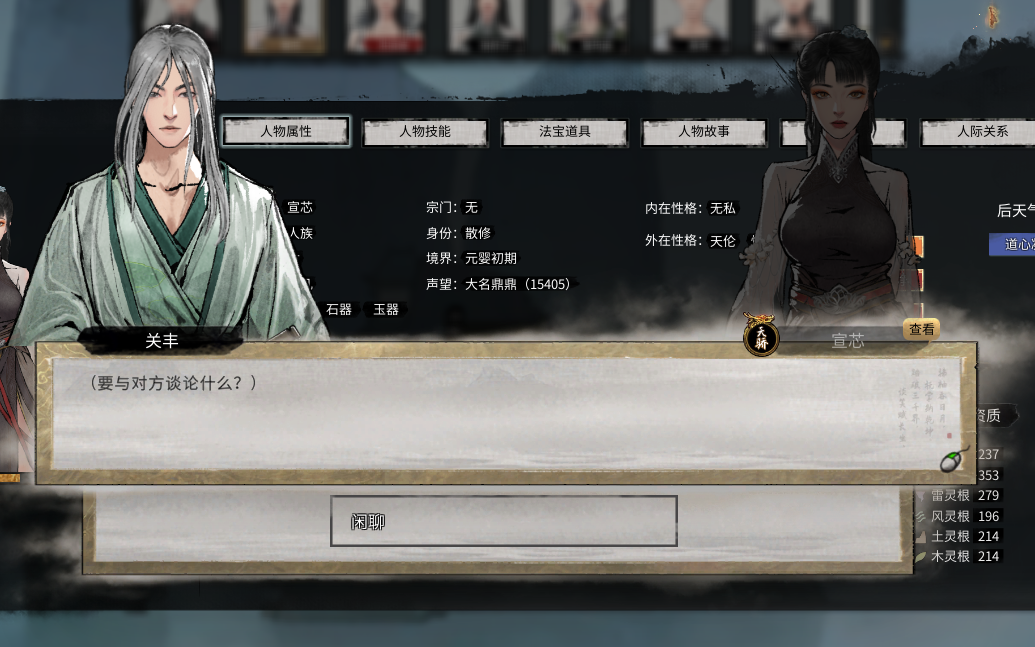
<size=22><color=#FF0000>【重写八荒】</color>仙人对话框置换
创建时间2023_10_14_01_14_35 **********本次更新说明********** 修改普通对话框为“仙人对话框” 1.在“只有梦长”大佬的指点下,通过修改配置表格,把所有普通对话框全部更换为“仙人对话框”,在这种情况下,不会再存在文字穿模的问题,原本做的那个对话框替换,由于原文件丢失,近期会删除。 2.此mod不会与其他mod冲突
- Latest version
- no release indexed
- Downloads
- 3.0k
- Rating
- 21
- Filed under
- Beautify, Function
- Updated
- 3 y ago
- Available on
- Steam Workshop
Download
Delivered through the Steam client, not a file this page can link to.
Frequently asked
How do I install <size=22><color=#FF0000>【重写八荒】</color>仙人对话框置换?
Install the matching loader first, then put the downloaded file in your mods folder and start the game. The loader, the mod and 鬼谷八荒 Tale of Immortal all have to be on the same version, which is the usual reason a mod does not appear in game.
Where do I download <size=22><color=#FF0000>【重写八荒】</color>仙人对话框置换 safely?
From the author's own page on Steam Workshop, which is where the data here is synced from. IndexGG never mirrors, re-hosts or repackages a file: every download button points at the original source, so you get exactly what the author published.
Which 鬼谷八荒 Tale of Immortal versions does <size=22><color=#FF0000>【重写八荒】</color>仙人对话框置换 work on?
The author has not declared a supported version in the metadata we sync, so there is nothing here we can state as fact. Check the project's own page before installing it, and treat an old mod with no declared version as untested on modern 鬼谷八荒 Tale of Immortal.