mod
<size=25><color=#FF0000>神识传音【AI对话】</color></size>
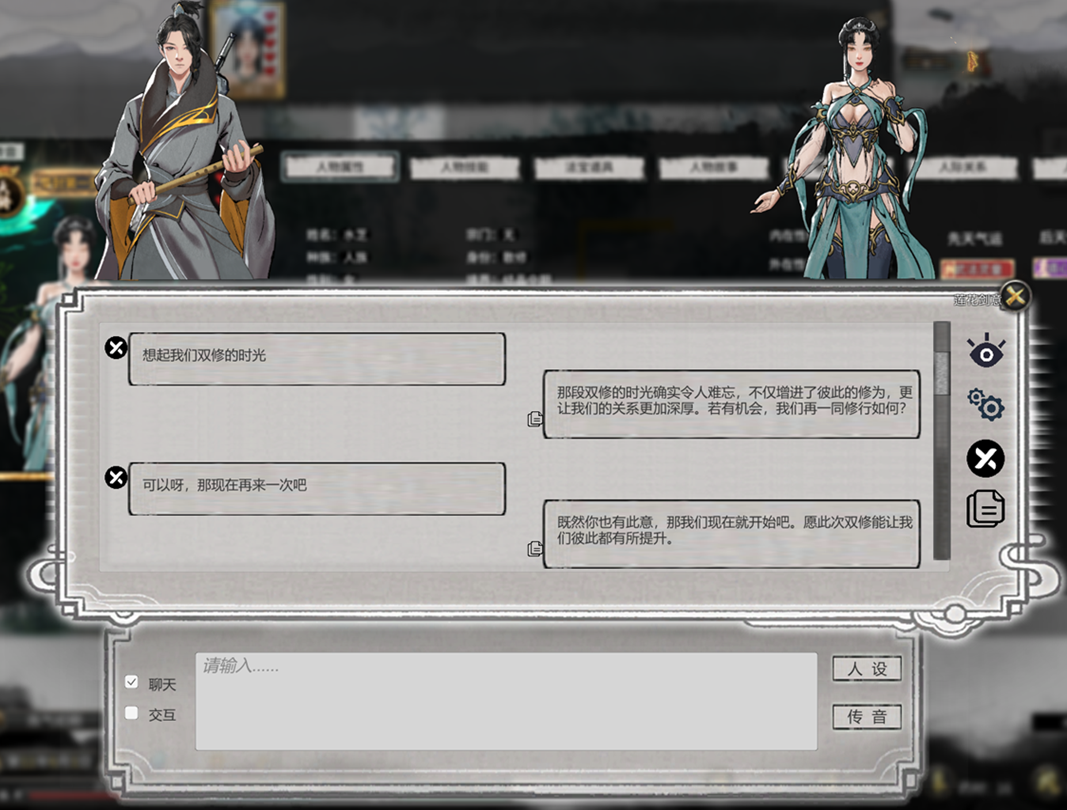
一、功能提示 在NPC信息界面添加传音按钮,可实现AI对话,需配置接口。 二、设置提示: 1.作者制作及测试模组时,使用的是硅基流动平台的模型接口,注册有增额,感兴趣可点击下发蓝色链接注册。其他基于OpenAI协议的AI平台理论上都会兼容,请自行搜索注册。 2.URL为AI平台链接,不同的AI平台有不同的地址,可参考左图--url后的参数。 3.API-Key为接入AI平台的密匙,请自行注册创建后妥善保管。 4.Model为AI模型名称,可参考左图--data中model后的参数。 5.Prompt为AI提示语,模组内置基础设定,包含传音NPC的基础信息、玩家基础信息和鬼谷八荒简单的背景...
- Latest version
- no release indexed
- Downloads
- 196.9k
- Rating
- 2.1k
- Filed under
- Function, LargeIntegrated
- Updated
- 4 mo ago
- Available on
- Steam Workshop
Download
Delivered through the Steam client, not a file this page can link to.
Frequently asked
How do I install <size=25><color=#FF0000>神识传音【AI对话】</color></size>?
Install the matching loader first, then put the downloaded file in your mods folder and start the game. The loader, the mod and 鬼谷八荒 Tale of Immortal all have to be on the same version, which is the usual reason a mod does not appear in game.
Where do I download <size=25><color=#FF0000>神识传音【AI对话】</color></size> safely?
From the author's own page on Steam Workshop, which is where the data here is synced from. IndexGG never mirrors, re-hosts or repackages a file: every download button points at the original source, so you get exactly what the author published.
Which 鬼谷八荒 Tale of Immortal versions does <size=25><color=#FF0000>神识传音【AI对话】</color></size> work on?
The author has not declared a supported version in the metadata we sync, so there is nothing here we can state as fact. Check the project's own page before installing it, and treat an old mod with no declared version as untested on modern 鬼谷八荒 Tale of Immortal.