mod
Megumin-Malca.cs2
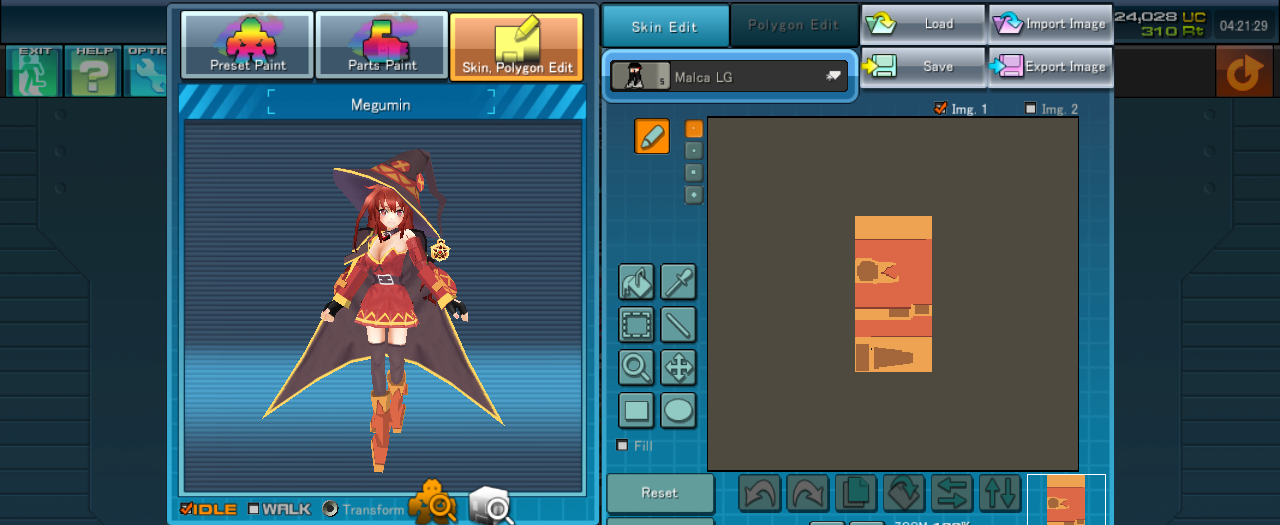
KONOSUBA - Megumin (めぐみん) Need Parts 1. Magical Hat - up Accessory 2. Edel Clock R - down Accessory - Brisgandr Disk Rewards - 2022/ 02/ 16 Notice 3. Gloom Rod - change weapon 이 멋진 세계의 축복을! 줄여서 코노스바의 메구밍을 마루카베이스로 만들었습니다. 메구밍 스킨이 있을법한데 없어서 12시간동안 노가다 해보았습니다 기본 바디만 있어도 입혀지지만, 스샷과 같은 풀셋이 되려면 1. 마루카뽑...
- Latest version
- no release indexed
- Downloads
- 278
- Rating
- 17
- Filed under
- CS2, skin
- Updated
- 5 y ago
- Available on
- Steam Workshop
Download
Delivered through the Steam client, not a file this page can link to.
Frequently asked
How do I install Megumin-Malca.cs2?
Install the matching loader first, then put the downloaded file in your mods folder and start the game. The loader, the mod and CosmicBreak Universal all have to be on the same version, which is the usual reason a mod does not appear in game.
Where do I download Megumin-Malca.cs2 safely?
From the author's own page on Steam Workshop, which is where the data here is synced from. IndexGG never mirrors, re-hosts or repackages a file: every download button points at the original source, so you get exactly what the author published.
Which CosmicBreak Universal versions does Megumin-Malca.cs2 work on?
The author has not declared a supported version in the metadata we sync, so there is nothing here we can state as fact. Check the project's own page before installing it, and treat an old mod with no declared version as untested on modern CosmicBreak Universal.