mod
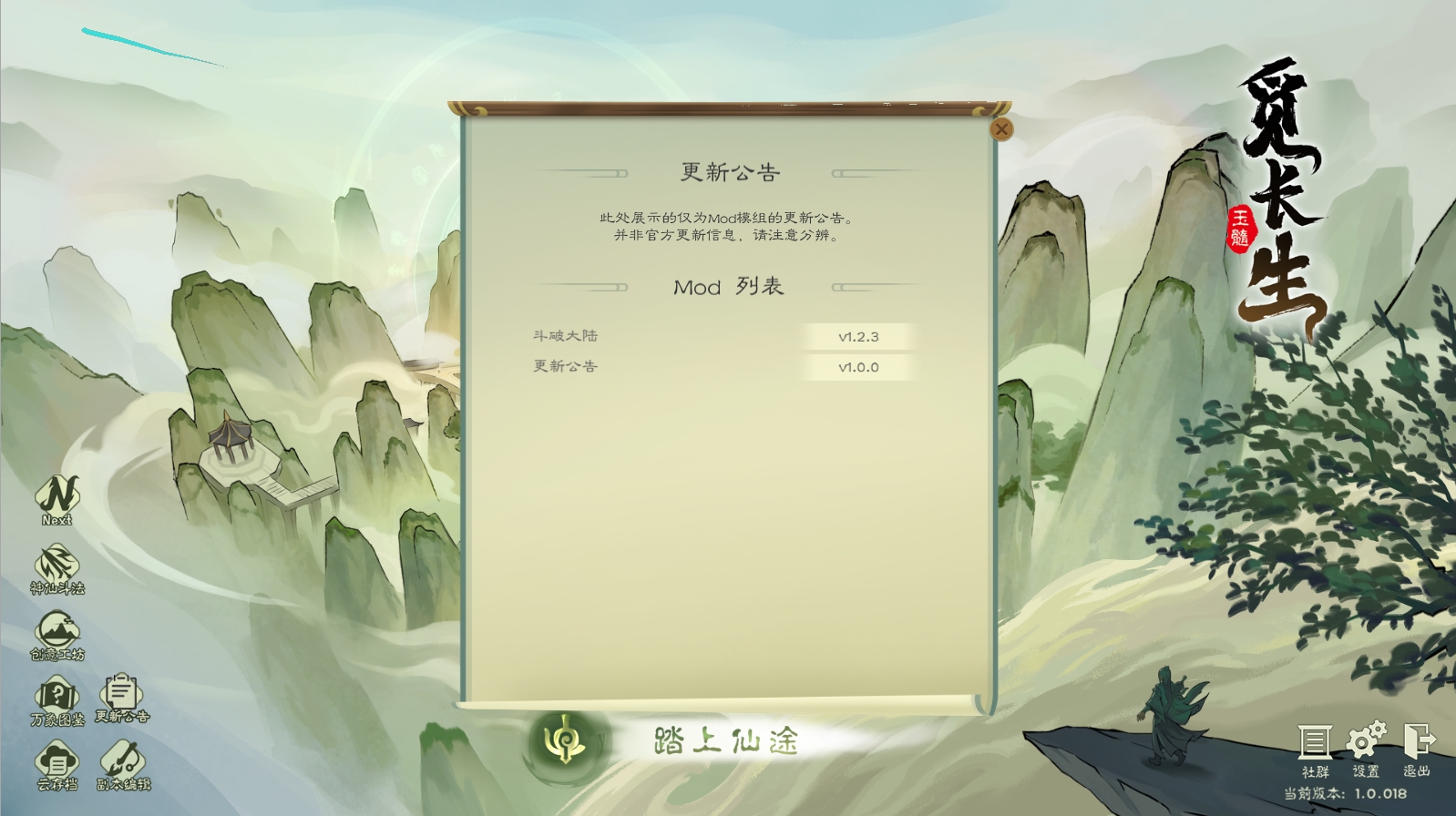
游戏内置更新公告
by John
简介 新增了一个游戏内置的更新公告,主要用来显示各个 Mod 的更新变动及更新信息(并非官方更新)。 可以通过游戏主界面左下角的按钮查看当前支持的 Mod 的更新信息,若该 Mod 有后续更新,也会有红色字体标注。 玩家使用说明 只需要订阅该 Mod 即可,若您的更新公告面板上没有对应 Mod 的更新详情,说明对应 Mod 没有提供相应的支持。 Mod 作者使用说明 准备好您的更新日志文本,文本内容支持 Unity Text 富文本标签,可以自行查阅。 将您的更新日志文件复制到 Mod.bin 所在目录。 将文件更名为 Mod名称-Mod版本号.log 即可。 新版本中可通过在 Mod....
- Latest version
- no release indexed
- Downloads
- 183.3k
- Rating
- 1.6k
- Filed under
- Optimization, Other
- Updated
- 2 y ago
- Available on
- Steam Workshop
Download
Delivered through the Steam client, not a file this page can link to.
Frequently asked
How do I install 游戏内置更新公告?
Install the matching loader first, then put the downloaded file in your mods folder and start the game. The loader, the mod and 觅长生 all have to be on the same version, which is the usual reason a mod does not appear in game.
Where do I download 游戏内置更新公告 safely?
From the author's own page on Steam Workshop, which is where the data here is synced from. IndexGG never mirrors, re-hosts or repackages a file: every download button points at the original source, so you get exactly what the author published.
Which 觅长生 versions does 游戏内置更新公告 work on?
The author has not declared a supported version in the metadata we sync, so there is nothing here we can state as fact. Check the project's own page before installing it, and treat an old mod with no declared version as untested on modern 觅长生.