mod
觅长生模组槽
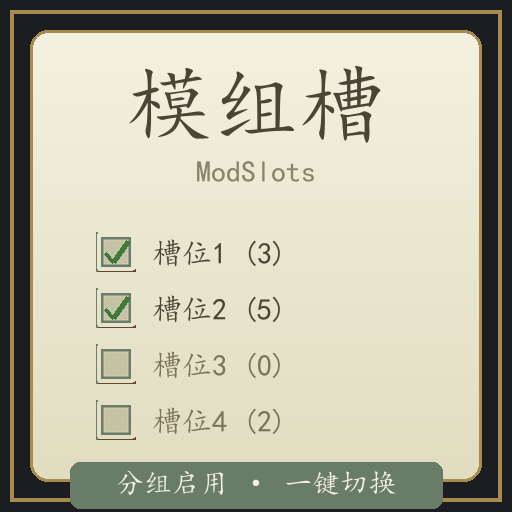
觅长生 · 模组槽 把已订阅的 Mod 分进 5 个「槽位」,一键切换,进游戏只加载当前槽位里的 Mod。 怎么用 1. 主界面 → 创意工坊 → 管理模组,左侧出现 5 个槽位 2. 点一个槽位 → 按「编辑槽位」 → 在右侧 Mod 列表勾选要放进该槽的 Mod 3. 按「启用槽位」 → 该槽 Mod 全部启用、其余全部禁用 4. 关闭工坊时按游戏提示重启,即生效 说明 槽位行括号里的数字 = 收录了几个 Mod;● = 当前生效的就是它 清空槽位 清掉该槽内容;全部启用 退出槽位模式 Mod 是游戏启动时加载的,切换槽位后必须重启游戏 只管理创意工坊的已订阅 Mod;\本地Mod测...
- Latest version
- no release indexed
- Downloads
- 833
- Rating
- 42
- Updated
- 1 mo ago
- Available on
- Steam Workshop
Download
Delivered through the Steam client, not a file this page can link to.
Frequently asked
How do I install 觅长生模组槽?
Install the matching loader first, then put the downloaded file in your mods folder and start the game. The loader, the mod and 觅长生 all have to be on the same version, which is the usual reason a mod does not appear in game.
Where do I download 觅长生模组槽 safely?
From the author's own page on Steam Workshop, which is where the data here is synced from. IndexGG never mirrors, re-hosts or repackages a file: every download button points at the original source, so you get exactly what the author published.
Which 觅长生 versions does 觅长生模组槽 work on?
The author has not declared a supported version in the metadata we sync, so there is nothing here we can state as fact. Check the project's own page before installing it, and treat an old mod with no declared version as untested on modern 觅长生.